Hybrid Smart Routing
Hybrid Smart Routing is available through the VIP Connect SDK and incorporates operator-configured settings and our built-in Identity & Risk Verification process to determine whether to route transactions through warrantied or non-warrantied pathways on the back end.
Flow
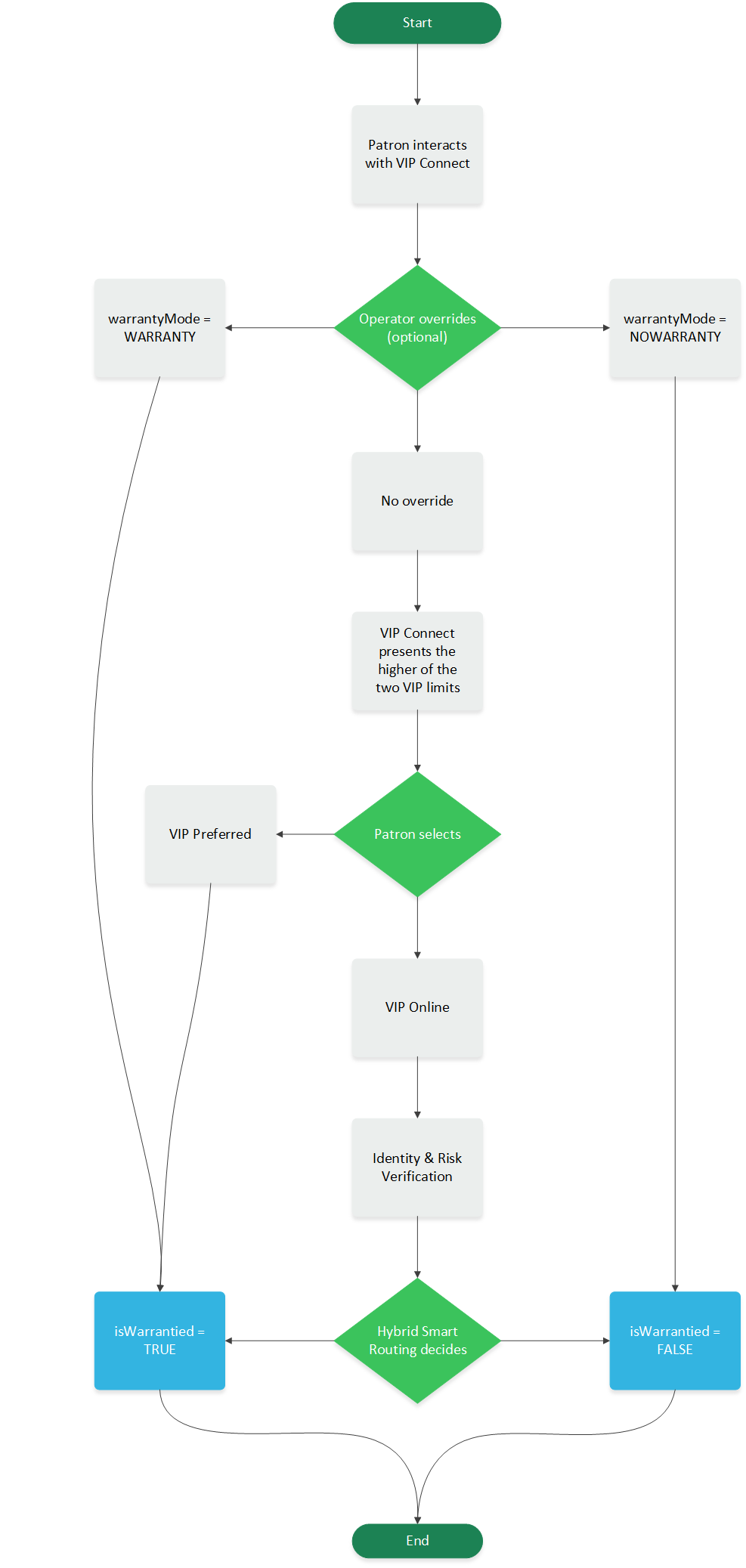
At the time of the transaction, Pavilion evaluates patron risk and uses a decisioning process that is customized per operator to route the transaction as warrantied or non-warrantied accordingly. The warrantied/non-warrantied decision is returned in the IsWarrantied: (true or false) field in the Notification Callback.
Step 1 (optional): Operators can choose to force any deposit as warrantied or non-warrantied by sending a WARRANTY or NOWARRANTY value in the warrantyMode field in the Patron Session Existing and Patron Session New API request.
The decision to use this override should be based on a decisioning process created within the operator's system and not by any information provided by Pavilion.
Step 2: The patron interacts with the Pavilion payments option and the SDK presents the higher of the two VIP limits to the patron. If the patron selects VIP Online, Hybrid Smart Routing continues.
VIP Preferred will always route as warrantied.
Step 3: Identity & Risk Verification occurs on the backend.
Step 4: Hybrid Smart Routing determines which warranty route the deposit will follow and returns a true or false value in the IsWarrantied field.
The following diagram illustrates the flow:
Integration Steps
To enable Hybrid Smart Routing, certification is required with both VIP Connect and VIP Online. Contact your Pavilion representative for more information.
We strongly recommend enabling Pay by Bank as a part of the Hybrid Smart Routing solution to provide the most complete and seamless patron experience.